Conference season is here! These events are the perfect opportunity to show off your Playeasy profile to potential partners in-person. We gathered some of our tips for before, during & after your conferences to ensure you have the best possible experience. Plus, with Playeasy’s new platform, your Destination will be looking better than ever. Let’s show Event Organizers why your Destination is a solid choice 👏 Here are our top tips –
It’s Almost Game Time – Before the Conference
Before you leave, there are a few actions to take to ensure you’re in the best position to market your Destination. After registering & setting your appointment calendar, research the Event Organizers you will be meeting with on Playeasy. Check out their venues, events, RFPs & economic impact dashboard on their profile. Next, be sure your Destination’s Playeasy profile is up to date & fully enhanced. This will be your interactive tool at the Symposium to pitch yourself & allow new connections to instantly view your content & follow you. Below are our top tips to get ready before you go –
Download the Playeasy App
- The Playeasy Mobile App is your quarterback leading your team into the big game. The first thing you need to know is you can share your profile with the tap of a button. With the app, you have a custom QR code that links directly to your profile for Event Organizers to follow you, like your events & keep the connection going.
- During your conversations, pull up your profile on the app to display your custom Facility Marketplace, Event Marketplace & posts on the go. Encourage users to follow you on the app. Going forward, this means they will get alerted on your posts & events added to Playeasy.
- The Playeasy app is live in Apple’s App Store & the Google Play Store 🎉 Download today to dig into how your profile looks on mobile.

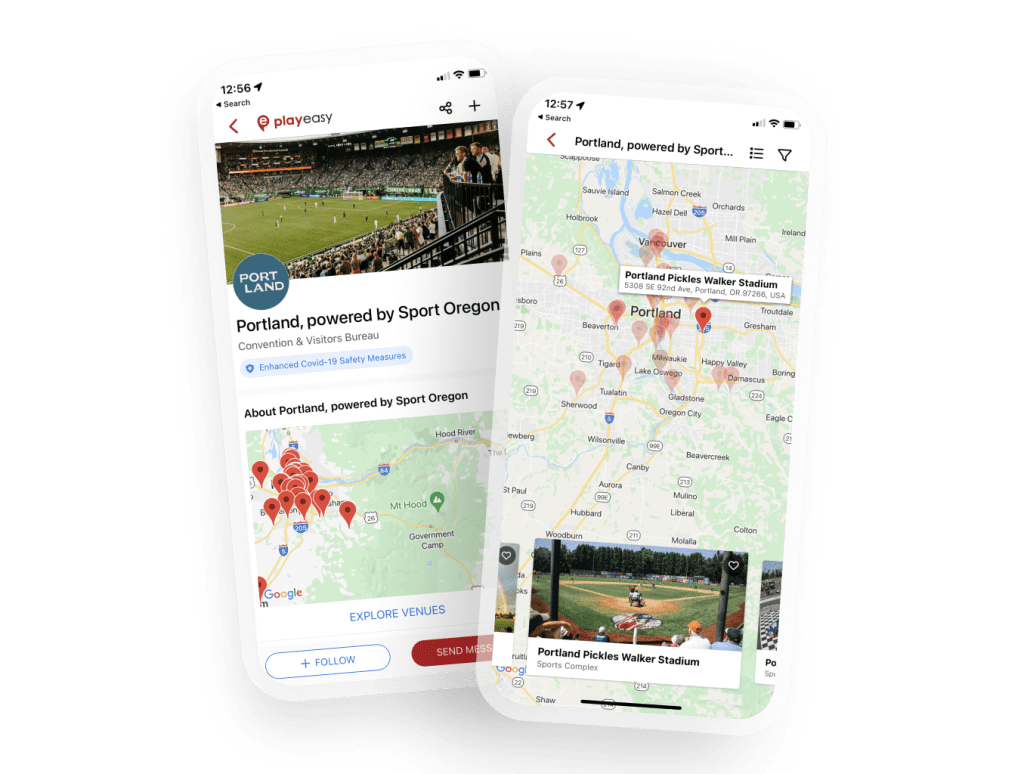
Destination Profile & Venue Map
Learn more about our Mobile App.
Showcase Your New Destination Profile in Your 1×1 Meetings
- For conferences, it’s best to have your facilities updated, events added & photos uploaded so you can show potential partners all you have to offer in one place. With Playeasy’s new platform, your Destination profile just got better with your own custom Facility Marketplace, Event Marketplace & more.
- Your own Facility Marketplace has a sleek new look. Ensure your Facility profiles are accurate to get the most hot leads as possible & accurately represent your facility inventory. The more information you enter about your Facilities, the more targeted your leads are on Playeasy.
- Add as many images to your profile & Marketed Events as you’d like to stand out & give viewers the best understanding of who you are. Images can be up to 2MB. If you need assistance with file size or dimensions, reach out to the Playeasy team & we can adjust sizing.
Learn how to complete your facility profile. Learn how to update your new dashboard.

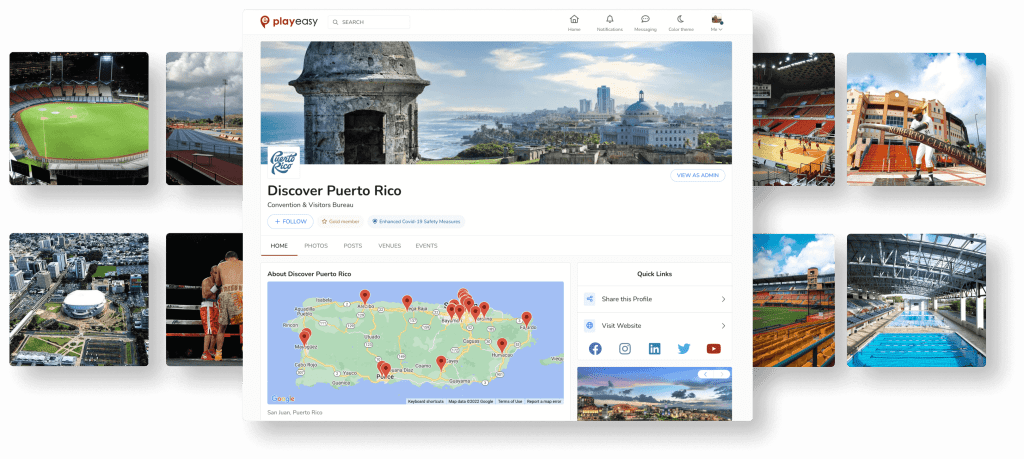
Enhance your Event Marketplace
- On your profile, you now have access to your own Event Marketplace. This is your place to highlight all upcoming events your Destination is hosting. Marketing your events gives Event Organizers an idea of what your Destination is capable of hosting & helps enhance your events to bring you more dollars.
- Upcoming events with ticket or registration links will also be added to our global Event Marketplace for you to gain more eyes & grow your event revenue.
- For conferences, this is a perfect tool to show off during conversations with new connections.


Build Brand Awareness & Tell Your Story
- By posting on Playeasy, you are directly reaching your target audience with ease on the largest digital network in sports tourism. Destinations posting on Playeasy are receiving more profile views, meaning more visibility for you.
- Before the Symposium, get a post or two out there to the Playeasy newsfeed, whether it be news regarding your Destination or sharing that your Destination will be attending an upcoming conference. It’s always a good idea to keep your brand top of mind, especially leading up to large conferences.


Newsfeed & Destination Post
Time for Kickoff – During the Conference
Now that you’re all set up, it’s go time. During the Symposium, bring up your Facility Marketplace & Event Marketplace in your meetings to show off all you have to offer. Throughout the event, open the Playeasy app, head to your profile & tap the ‘share’ button on the top right next to the ‘follow’ + icon. This will pull up your own personal QR code & will bring attendees directly to your Playeasy profile in the app, or in their internet browser if they haven’t downloaded yet. Next, make sure they hit that + button to follow you on Playeasy. This will easily keep them in touch with you once the event is over.

Destination Profile & Custom QR Code for Sharing
After the Buzzer – After the Conference
When you return, we recommend following up with your new connections & contacts from your meetings. You can message these contacts directly on Playeasy to continue the conversation. Playeasy contact cards will now display phone number & email to enhance that connection. Also, post on Playeasy & your socials to share about your experience & keep your brand top of mind. Any connections that followed you will get alerted with your posts going forward. Be sure to follow back your new followers to establish that relationship.
Stay in Touch
We hope to see you at a conference this year! We are thrilled for you to experience the new platform & utilize its features during your conferences. Be sure to utilize the Playeasy App & your profile as a marketing & connection tool during open marketplace time, networking sessions & 1×1 meetings. If you need any assistance on Playeasy’s new product features, contact us here.
Follow us on Playeasy to stay in the loop on our product announcements & how-to’s going forward